
Download SynciOS – Free iOS Management Tool for Windows, Mac, Android & iOS
SynciOS is a powerful, free iOS management application designed to simplify how you back up, transfer, and organize your iPhone, iPad, or iPod data. Whether you're switching to Android or just want a more user-friendly alternative to iTunes, SynciOS delivers a seamless experience across Windows 11, Mac, Android, and iOS platforms. With intuitive drag-and-drop functionality, automatic file conversion, and full backup and restore capabilities, this tool makes managing your iOS device faster and more efficient.
You can transfer photos, videos, music, contacts, messages, and even apps between devices with ease. SynciOS also lets you view and search your text messages directly on your computer—perfect for retrieving important conversations. Its lightweight design and modern interface bring back the simplicity of older iTunes versions while adding modern features.
Best of all, it’s completely free to download and use, with optional upgrades for advanced features. If you're looking for a secure, reliable, and easy-to-use software to manage your Apple devices, SynciOS is a top choice for both beginners and power users.
Why SynciOS Stands Out Among iOS Management Tools
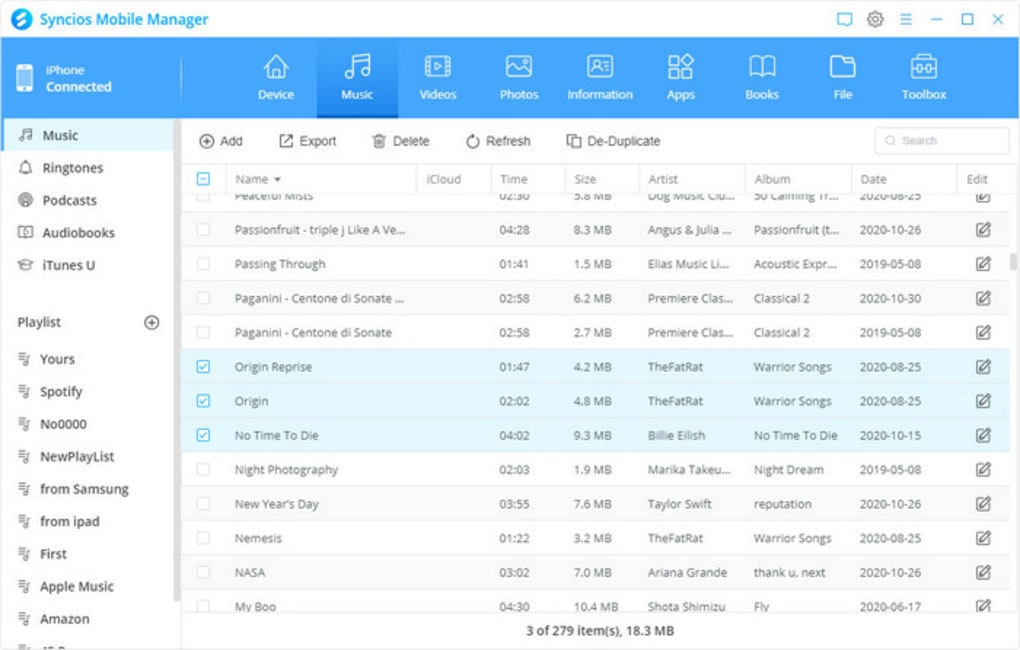
When it comes to managing iOS devices, many users still rely on iTunes—despite its outdated interface and complex workflows. SynciOS offers a refreshing alternative that combines the best of the past with modern functionality. Unlike iTunes, which often requires multiple steps to transfer a single photo or backup your entire device, SynciOS streamlines the entire process with a clean, two-pane layout that feels instantly familiar. The left sidebar displays your device’s file structure—documents, media, messages, contacts—while the right pane shows the contents of the selected folder. This design makes navigation effortless, even for non-tech-savvy users.
One of the standout features is its ability to automatically convert unsupported file formats. If you’re trying to transfer a video in an unusual format or a music file not recognized by your iPhone, SynciOS handles the conversion seamlessly in the background. This eliminates the need to manually convert files using third-party tools. Additionally, the app supports direct data transfer between iOS and Android devices, a rare feature in most iOS management software. Whether you're moving from an iPhone to a Samsung Galaxy or vice versa, SynciOS ensures your photos, videos, and documents stay intact.
Another major advantage is the built-in backup and restore functionality. You can create full backups of your device, including apps, messages, and settings, and restore them at any time—ideal for when upgrading to a new device or recovering lost data. The app also allows you to view and export your SMS conversations, which is incredibly useful for legal, personal, or sentimental reasons. All these features are available in the free version, making SynciOS one of the most valuable tools for iOS users today.
Key Features of SynciOS: What You Can Do with This Free App
- Free iOS Device Management – No cost to download or use; full access to core features like file transfer, backup, and restore.
- Cross-Platform Support – Works on Windows 11, Windows 10, Mac, Android, and iOS devices.
- Automatic File Conversion – Converts unsupported media files (e.g., MP4, AVI, FLAC) into iOS-compatible formats.
- Direct iOS-to-Android Transfer – Move photos, videos, music, and documents between Apple and Android devices without cloud services.
- Full Backup & Restore – Create encrypted backups and restore data to new devices with one click.
- Text Message Viewer – Read, search, and export SMS and iMessages directly from your computer.
- App Management – Install, uninstall, and manage iOS apps without iTunes.
- Cloud-Free Transfers – No need for iCloud or third-party cloud storage; all transfers happen locally and securely.
How to Install and Use SynciOS on Your Devices
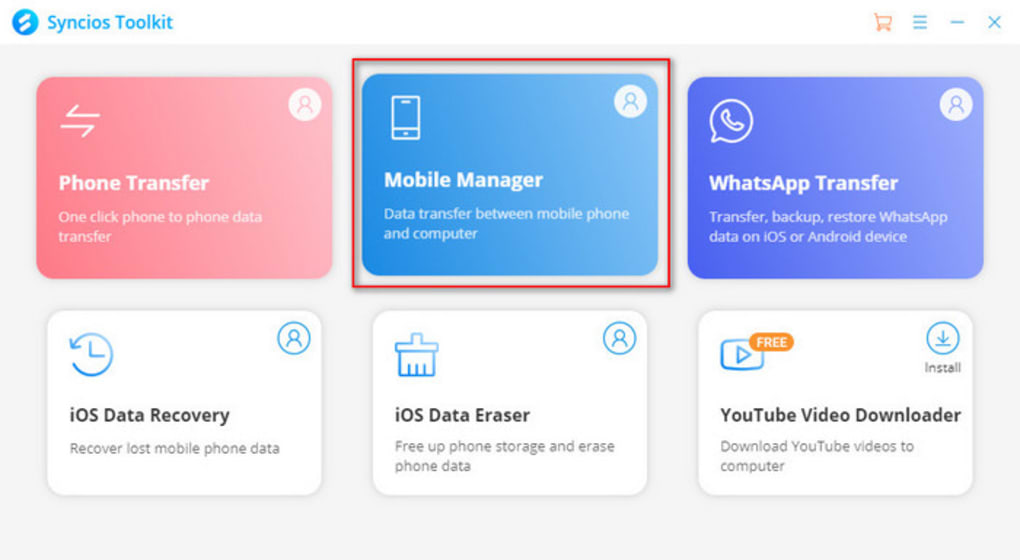
Getting started with SynciOS is quick and straightforward. First, visit the official website and download the version that matches your operating system—Windows, Mac, Android, or iOS. The installation process is simple: run the installer, accept the license agreement, and follow the on-screen prompts. Once installed, launch the app and connect your iOS device using a USB cable. SynciOS will automatically detect your device and prompt you to trust it on your iPhone or iPad.
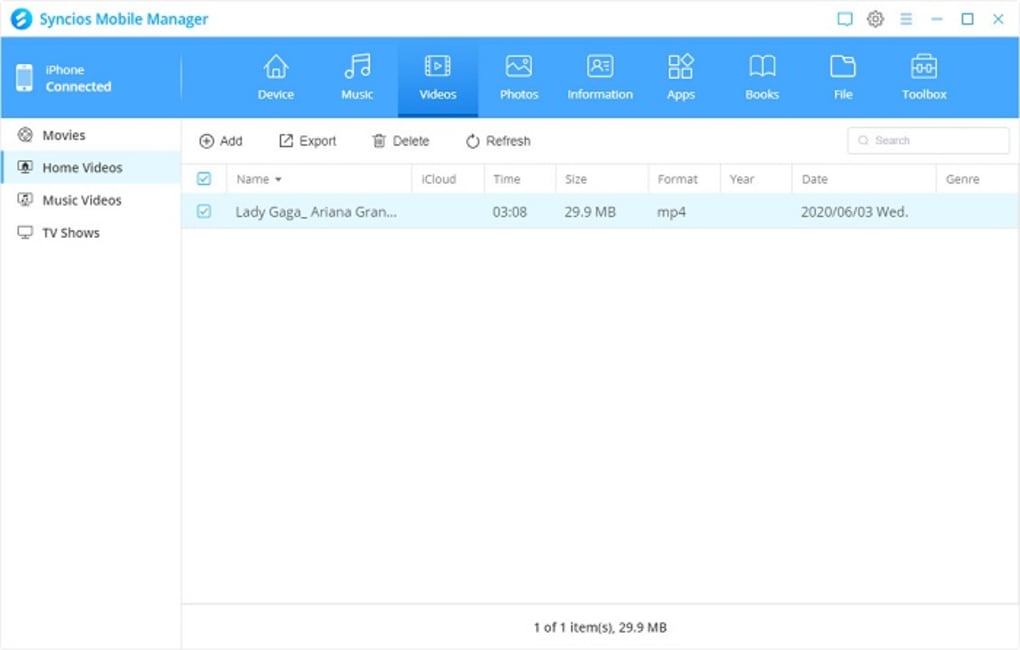
After trust is established, the main interface appears. The left panel displays your device’s folders: Photos, Videos, Music, Messages, Contacts, Apps, and more. Click on any category to view its contents in the right panel.
To transfer files, simply drag and drop them from your computer to the device or vice versa. For example, you can move a folder of vacation photos from your PC to your iPhone in seconds. If you’re transferring a large video file, SynciOS will automatically convert it to a compatible format if needed.
For backups, navigate to the “Backup” section, select what you want to include (entire device or specific data), and click “Start Backup.” The process is fast and secure, with options to encrypt the backup for extra privacy. Restoring is equally simple: choose a backup file and follow the guided steps to restore your data. You can also use SynciOS to manage apps—install new ones, delete unwanted ones, or update existing ones without touching iTunes. The app also supports bulk operations, allowing you to transfer dozens of files at once with no delays.
Compatibility and System Requirements
SynciOS is designed to work across a wide range of devices and operating systems. It supports all major versions of Windows, including Windows 11, Windows 10, and Windows 8.1. For Mac users, it runs smoothly on macOS Big Sur, Monterey, Ventura, and Sonoma. The software is compatible with iOS devices running iOS 11 through iOS 17, including iPhone 6s and later, iPad Air 2 and newer, and iPod Touch 7th generation.
Additionally, SynciOS offers companion apps for Android and iOS, allowing you to manage your device from your phone or tablet. This cross-device compatibility makes it ideal for users who own multiple platforms. The app requires a USB cable for initial connection, but once paired, you can use it wirelessly in some versions. System requirements are modest: a minimum of 2 GB RAM, 500 MB of free disk space, and a USB 2.0 port. The app is lightweight and doesn’t slow down your computer during transfers.
One of the biggest advantages of SynciOS is its independence from iCloud. While iCloud is convenient, it often runs out of space or requires a paid subscription. SynciOS eliminates this dependency by enabling local backups and transfers. This not only saves money but also improves privacy and speed. Whether you're using a high-end desktop or a budget laptop, SynciOS delivers consistent performance across all setups.
Pros and Cons: Is SynciOS Right for You?
Pros
- Free to download and use with no hidden costs.
- Intuitive, iTunes-like interface that’s easy to learn.
- Supports direct iOS-to-Android file transfers.
- Automatic file conversion for unsupported formats.
- Full backup and restore functionality with encryption.
- Can view, search, and export text messages on PC.
- Works on Windows, Mac, Android, and iOS.
- No need for iCloud or cloud storage.
Cons
- Advanced features require a paid upgrade (trial version).
- Some users report occasional connection issues with older iOS devices.
- Limited cloud integration compared to iTunes or iCloud.
- Interface lacks some modern design polish (compared to newer apps).
Frequently Asked Questions (FAQ)
Final Verdict: SynciOS Is a Must-Try for iOS Users
If you're tired of the cluttered interface of iTunes or frustrated by iCloud storage limits, SynciOS is a game-changer. It offers a secure, fast, and free way to manage your iOS device—whether you're backing up your phone, transferring files to a new Android device, or simply organizing your media. Its intuitive design, automatic file conversion, and cross-platform support make it one of the most versatile tools available.
While the free version covers most essential tasks, the paid upgrade unlocks additional features for power users. But even without upgrading, you’ll find SynciOS to be a reliable and efficient solution. With its strong compatibility, user-friendly layout, and robust functionality, it’s one of the best free software tools for managing iOS devices today.
Download SynciOS now and take full control of your iPhone or iPad—without the hassle of iTunes or cloud storage.







